Go From Blender Zero to Creating Jaw Dropping 3D Art in 8 Weeks
The step by step Blender course that has turned Many complete beginners into confident 3D artists, even if you've never touched 3D software, have zero artistic background, and thought this was "too technical" for you.
📚 Beginner Friendly 🎓 Industry Focused Training 💼 Portfolio Projects 🚀 Learn from Real Workflow
The Brutal Reality
Learning Blender on Your Own Is a Frustrating, Demoralizing Nightmare
You've dreamed of creating stunning 3D art. But every time you open Blender, you're greeted by an overwhelming interface, confusing menus, and the sinking feeling that maybe this isn't for you.
😵
Interface Overload
Blender's interface has hundreds of buttons, panels, and hotkeys. Without guidance, you spend hours just trying to figure out where things are, and your creative momentum dies before it even starts. You close the program feeling defeated, not inspired.
🔄
Tutorial Hell
You've watched 47 YouTube tutorials. Each one uses different versions, different approaches, different workflows. You can follow along step-by-step, but the moment you try to create something on your own? Total blank. You haven't actually learned anything; you've just been copying.
🕳️
Massive Knowledge Gaps
Free tutorials teach random techniques in random order. You know bits and pieces, but the fundamental foundation is missing. It's like trying to build a house by randomly placing bricks; nothing holds together. Your models look amateur, and you can't figure out why.
The Solution
Introducing Blender Beginner by Uniqube Animation
The only Blender course built from the ground up by working industry professionals who remember exactly what it's like to be a confused beginner and engineered to take you from "I don't even know what a vertex is" to "I just landed my first freelance gig" in 8 structured weeks.
Foundation- First Methodology
We don't just show you how to make a donut. We teach you why things work the way they do so you can create anything you imagine, not just follow recipes. Every concept builds on the last in a carefully designed sequence.
Industry- Standard Workflows
We don't just show you how to make a donut. We teach you why things work the way they do so you can create anything you imagine, not just follow recipes. Every concept builds on the last in a carefully designed sequence.
Project- Based Mastery
We don't just show you how to make a donut. We teach you why things work the way they do so you can create anything you imagine, not just follow recipes. Every concept builds on the last in a carefully designed sequence.
Beginner- Proof Pacing
We don't just show you how to make a donut. We teach you why things work the way they do so you can create anything you imagine, not just follow recipes. Every concept builds on the last in a carefully designed sequence.
Complete Curriculum
Introducing Blender Beginner by Uniqube Animation
The only Blender course built from the ground up by working industry professionals who remember exactly what it's like to be a confused beginner and engineered to take you from "I don't even know what a vertex is" to "I just landed my first freelance gig" in 8 structured weeks.
Blender Fundamentals & Navigation
Master the interface, viewport navigation, object manipulation, and keyboard shortcuts that 10x your speed

3D Modeling Essentials
Vertices, edges, faces learn mesh modeling from scratch with extrude, loop cuts, bevel, and boolean operations
Modifiers & Non-Destructive Workflows
Ex. Subdivision surface, mirror, array, solidify reate complex geometry with professional non-destructive techniques
Materials & Texturing
Shader editor, PBR materials, UV unwrapping, texture painting make your models look photorealistic

Lighting & Environment Design
Three point lighting, HDRI environments, volumetrics, world settings the secret to professional looking renders

Camera, Composition & Rendering
Build your portfolio, price your services, pitch to agencies and brands, manage client expectations, and deliver projects that generate referrals and repeat business.
Animation Fundamentals
Three point lighting, HDRI environments, volumetrics, world settings the secret to professional looking renders
Final Project: Complete Scene Creation
Build your portfolio, price your services, pitch to agencies and brands, manage client expectations, and deliver projects that generate referrals and repeat business.
Your Creations
Here's Exactly What You'll Create During This 8 Week Course
These aren't hypothetical projects. Every student builds these real, portfolio worthy pieces from scratch following our step by step guidance. By Week 8, you'll have a complete showcase of your new skills.
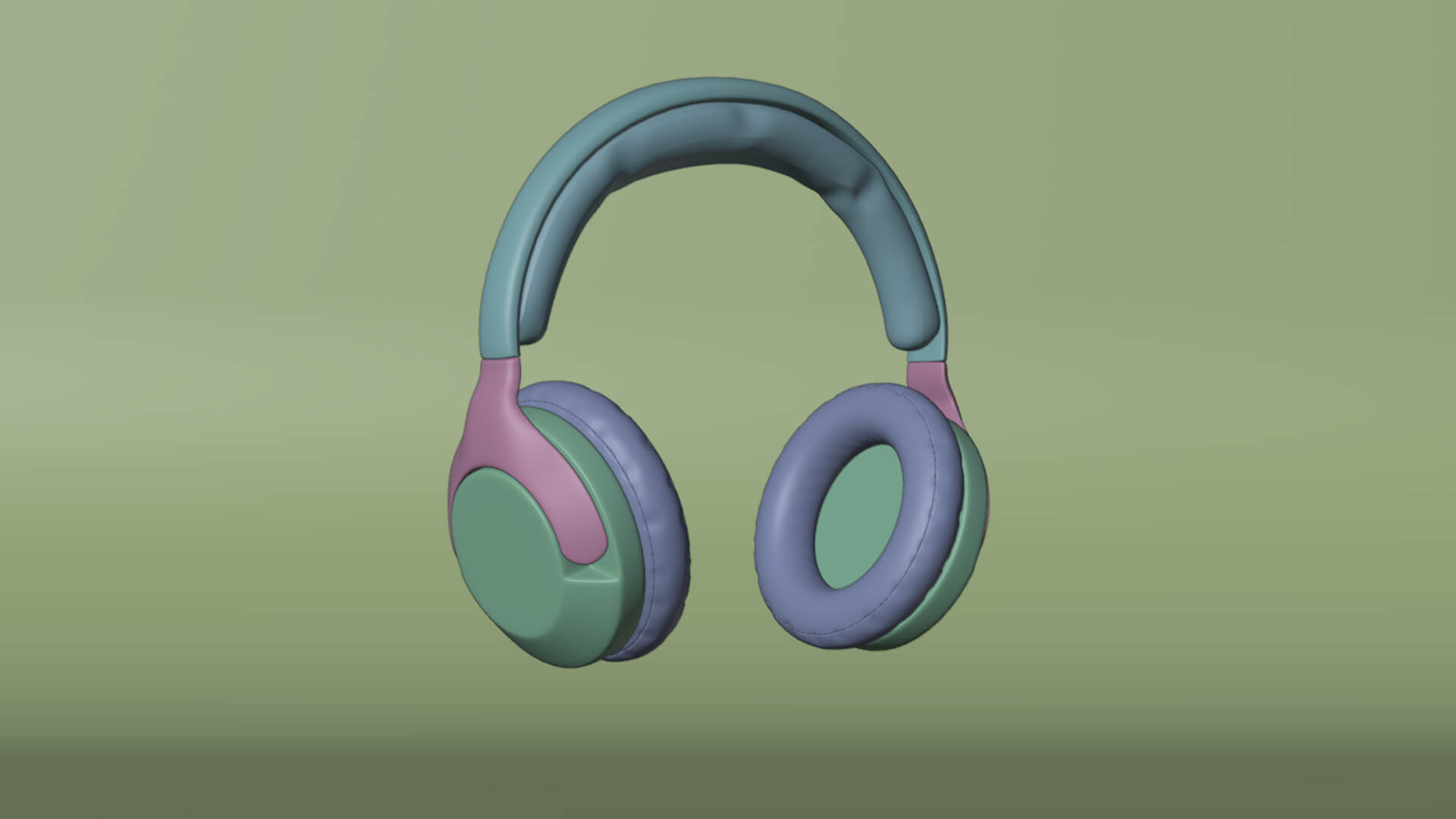
Low Poly modeling
Model a charming isometric room scene with furniture, props, and clean geometry, your first complete 3D environment built entirely from primitives.
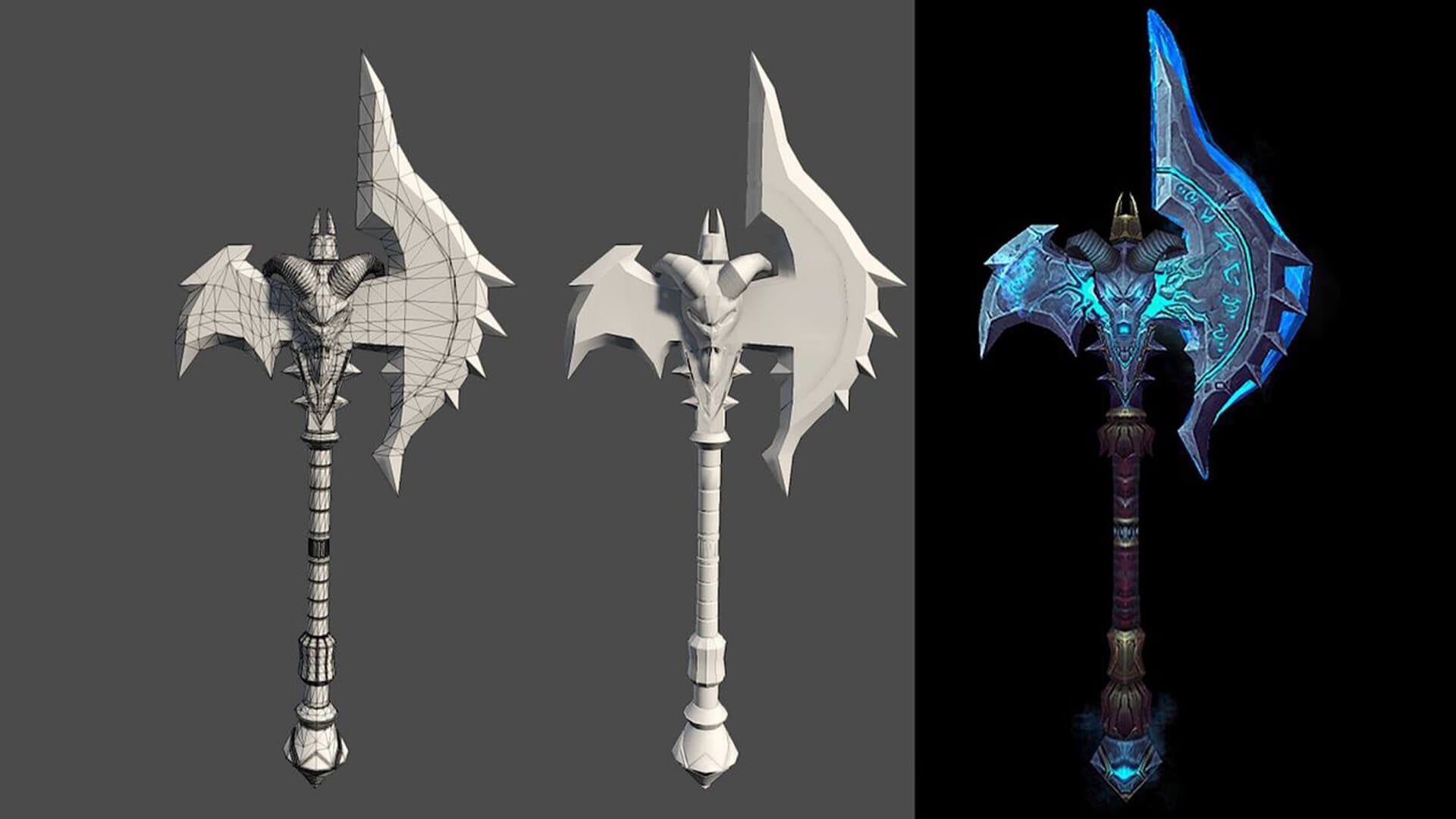
Stylized Weapon & Props
Create a detailed stylized sword and shield using modifiers, booleans, and non-destructive techniques ready for a game portfolio.
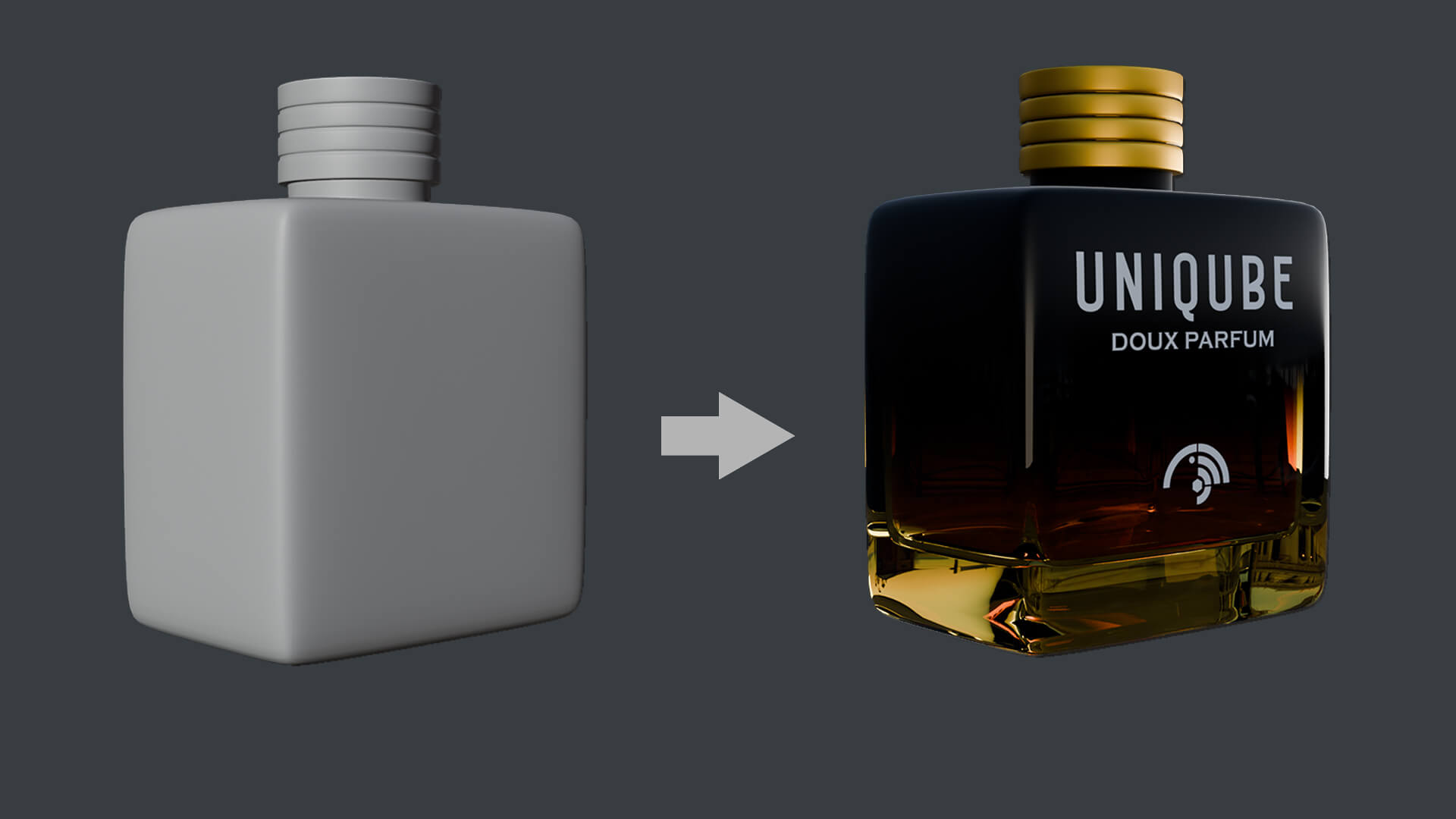
Photorealistic Food Product
Texture and shade a mouth-watering food scene with PBR materials, UV mapping, and procedural textures that look good enough to eat.

Cinematic Landscape Scene
Build and light a breathtaking outdoor environment with volumetric fog, HDRI lighting, and cinematic camera composition.
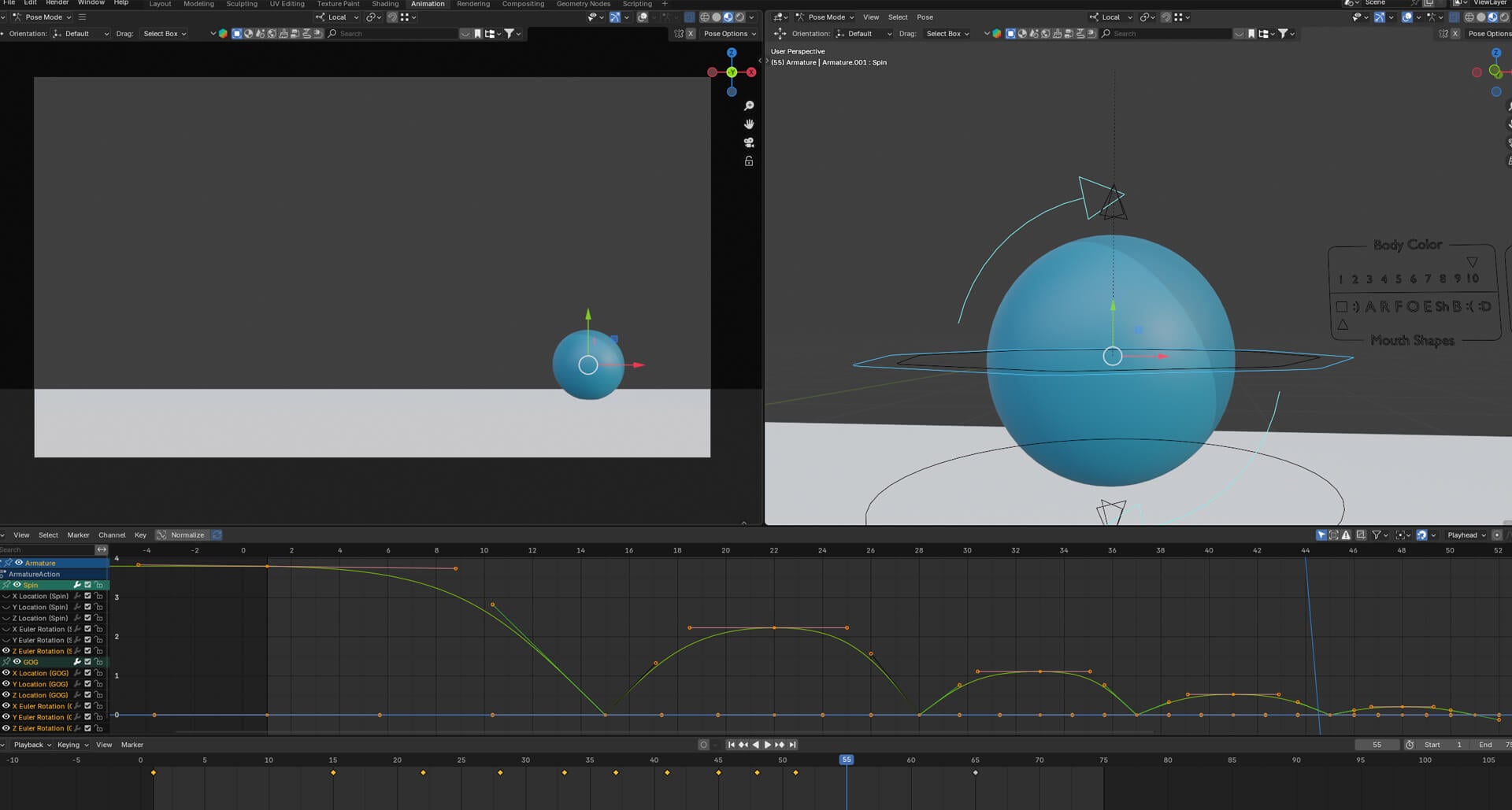
Animated Character Bot
Rig and animate a character robot with walk cycles, keyframe animation, and smooth motion using the graph editor.
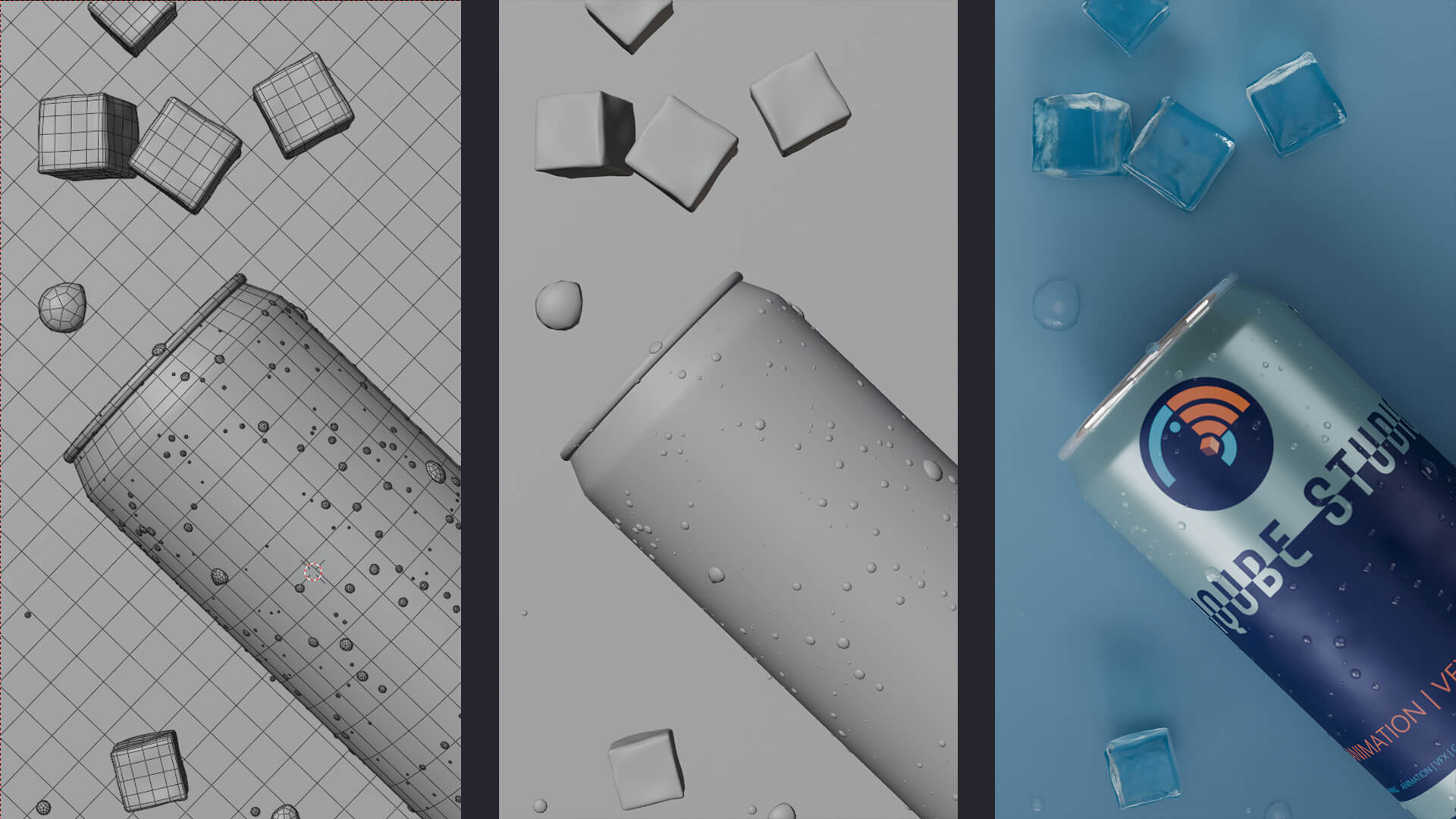
Complete Portfolio Scene
Your masterpiece: a fully modeled, textured, lit, and rendered professional scene that showcases every skill, ready for ArtStation and client work.
Transformation
This Isn't Just a Course, It's the BridgeBetween Where You Are and Where You Want to Be
🧠
True Understanding, Not Just Mimicry
You won't just learn to follow along, you'll understand the principles behind every technique. When you face a new challenge (and you will), you'll have the foundational knowledge to figure it out yourself. That's the difference between a tutorial follower and a real 3D artist.
💼
A Portfolio That Gets You Hired
By the end of 8 weeks, you'll have 6+ polished, portfolio-ready pieces that showcase modeling, texturing, lighting, and animation skills. These aren't beginner-looking projects they're the quality that makes clients and studios take notice.
⚡
Professional Speed & Efficiency
Learn the keyboard shortcuts, workflows, and techniques that professionals use to work 5x faster than self-taught beginners. Time is money, and our students consistently report completing projects in a fraction of the time they used to spend fumbling through the interface.
🌟
Creative Confidence That Changes Everything
The biggest transformation isn't technical it's psychological. When you know you can bring any idea to life in 3D, your entire creative world opens up. No more "I wish I could do that." Now it's "Let me build that." That confidence bleeds into every area of your life.
How It Works
How It Works From Enrollment to Mastery
A clear, proven path that removes all guesswork. Here's exactly what happens after you enroll.
01
Instant Access & Setup Guide
Book a free career counseling call. We'll assess your goals, interests, and current skill level to recommend the perfect course path for you. Zero pressure, zero obligation.
02
Follow the Weekly Module Structure
Dive into hands-on, project-based learning with industry mentors. Complete real-world assignments, get personal feedback, and build your professional portfolio piece by piece.
03
Get Feedback & Iterate
Craft a professional portfolio and showreel that follows industry standards. Our team helps you polish every project to studio-quality level that impresses recruiters.
04
Complete Your Portfolio & Launch
We train you in a way that equips you to start exploring earning opportunities through jobs or freelance work soon after completing the program.
💰 Transparent Pricing
Invest in Your Future, Not in Overpriced Degrees
Simple, transparent pricing with no hidden costs. Choose the plan that matches your goals and start building your animation career today.
⭐ Most Popular — Best Value
🚀
Professional
The complete package for serious career changers who want job-ready skills & placement support.
₹54,999
₹15,999
One-time payment
- Full 8-Module Course (40+ Lessons)
- All Project Files & Templates
- Lifetime Access & Updates
- Community Discord Access
- Dedicated placement support
- 3 Exclusive Bonus Modules
- Expert Portfolio Review
- Resume & interview preparation
- Freelance income training
🛡️ All plans include our 30-day money-back guarantee zero risk.
💳 Flexible EMI options available through all major banks. No cost EMI on select credit cards.
📞 Not sure which plan? Book a free consultation and we'll help you choose.
Meet Your Mentor
Learn From Someone Who's Actually Done It
Your instructor isn't just a teacher, they're a working industry professional who has created VFX for major productions and built a successful career doing exactly what they teach.
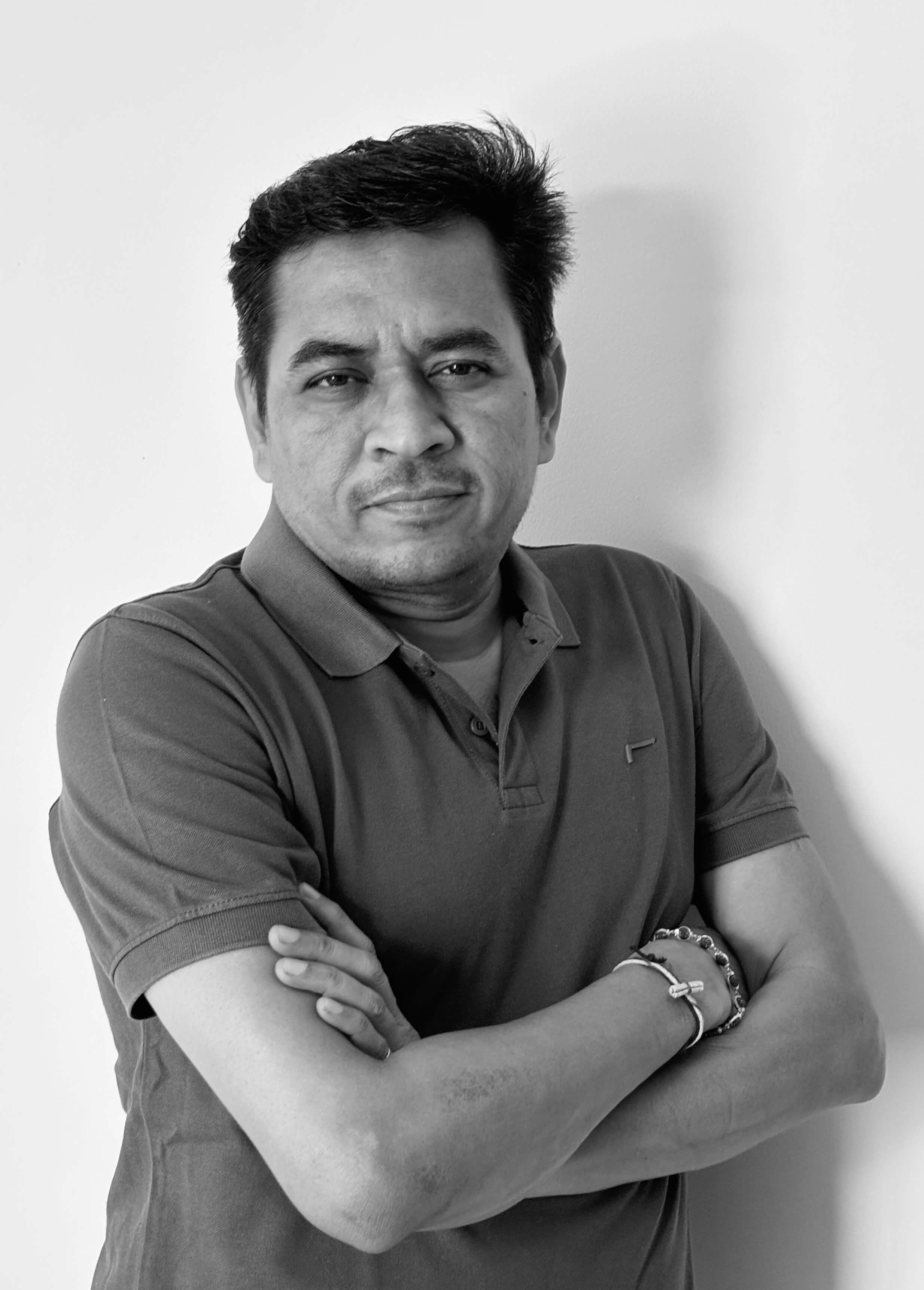
Kalpesh Patel
Industry Veteran Instructor
Founder , Professional 3D Artists & Educators
Our teaching team consists of working professionals from top studios including DNEG, 88 Pictures , Prime Focus, and Technicolor. They've contributed to blockbuster films, AAA games, and global advertising campaigns. When they teach, they share real production experience not textbook theory.
- Worked on 50+ major film & advertising productions
- Former lead artists at top Indian & international VFX studios
- Created VFX for Bollywood blockbusters and international commercials
- Certified in Autodesk Maya, Foundry Nuke, and Adobe Creative Suite
500+
STUDENTS
MENTORED
50+
PRODUCTIONS
25 +
YEARS INDUSTRY
🎁 Enrollment Bonuses
Enroll Today & Get These Free Bonuses (Worth ₹25,000+)
Every student who enrolls this month receives these exclusive bonuses at absolutely no extra cost.
FREE

Animation Career Roadmap E-Book
Complete guide covering every career path in animation & VFX with salary data, required skills, and step-by-step entry strategies.
Value: ₹5,000
FREE

Premium 3D Asset Library
Access to 500+ premium 3D models, textures, HDRIs, and templates to accelerate your project work and portfolio building.
Value: ₹12,000
FREE

Lifetime Community Access
Join our private alumni network of 2,500+ animators for job referrals, collaboration opportunities, feedback, and industry insider tips.
Value: ₹8,000
See It In Action
Watch a Free Course Preview
Don't take our word for it. Experience the teaching quality, production value, and clarity of instruction for yourself.
40+
Video Lesson
25+
hours Content
150+
Project files
4K
Video Quality
Common Questions
Every Question Answered
Everything you need to know before enrolling. If your question isn't here, email us at support@uniqubeanimation.com. We respond within 4 hours.
COURSE & LEARNING
Do I need any prior experience with Blender or 3D software?
Absolutely not. This course is designed from the ground up for complete beginners. We start with the absolute basics what is Blender, how to download it, how to navigate the interface and build from there. Many of our most successful students had never touched any 3D software before enrolling. If you can use a computer, you can take this course.
How much time do I need to commit each week?
We recommend 3-5 hours per week for the best results. That includes watching lessons (about 2-3 hours of video per module) and completing the practice exercises and challenges. You can spread this across the week in 30-minute sessions, or do it all in one weekend session. The course is self-paced, so if you have a busy week, you can catch up the next. Most students take 8-10 weeks to complete everything.
What kind of computer do I need to run Blender?
Blender runs on Windows, Mac, and Linux. For this beginner course, you don't need a powerful computer. A laptop or desktop from the last 5 years with 8GB+ RAM and a dedicated graphics card will work great. Even integrated graphics (like Intel HD or Apple M1/M2) can handle the beginner projects. We include a system requirements guide and optimization tips in Module 1 to ensure Blender runs smoothly on your setup.
Can I learn anytime or is there a fixed schedule?
There is no fixed schedule. You can learn at your own pace, anytime that fits your routine.
How long do I have access to the course?
Lifetime access. Once you enroll, the course is yours forever. You can rewatch any lesson, revisit any module, and download all files at any time. Plus, when we update the course for new Blender versions (which we do within 30 days of any major release), you get the updated content automatically at no extra charge. It's a one-time payment for lifetime value.
Is Blender really free? What's the catch?
Yes, Blender is 100% free, open source software no catch. It's maintained by the Blender Foundation and a global community of developers. The only investment you're making is in our course, which teaches you how to use this incredible free tool effectively. You won't need to buy any additional software.
What if I fall behind or can't keep up with the weekly schedule?
The course is entirely self-paced. While we suggest the 8-week timeline for optimal learning, there's zero penalty for going slower. Many students take 10 12 weeks, and some spread it over several months. Your access never expires, and the community is always there to support you regardless of your pace. Life happens we get it. The content will be waiting for you whenever you're ready.
PAYMENTS & ACCESS
Do I get lifetime access?
Yes. Once you enroll, you get lifetime access to all course content.
How do I access the course after payment?
You will get instant access through your dashboard right after successful payment.
CAREER & RESULTS
Will I get support if I get stuck?
Yes. You will get access to a support system where you can ask questions and get guidance.
Are there live sessions?
Yes there will be live Q&A sessions or feedback sessions to support your learning.