Master Character Animation & Bring Stories to Life
Transform from a basic 3D user into a skilled character animator capable of creating professional level performances using Blender even if you've never animated a single keyframe before.
- Create realistic character movement and acting that captivates audiences
- Master advanced body mechanics — weight, balance, physics, and force
- Learn acting, emotions, and performance animation for film & games
- Build a professional showreel that lands you jobs and freelance clients
Beginner Friendly
Industry Focused Training
Portfolio Projects
Learn from Real Workflow
Why 95% of Aspiring Animators Never Make It
You've downloaded Blender. Maybe you've followed a few YouTube tutorials. You can model basic objects. But when it comes to making characters actually MOVE with life and emotion you're completely stuck.
The Cost of Doing Nothing is Higher Than You Think
— Former Self-Taught Animator (Now an UniqubeAnimation graduate working at a leading studio)
- ✗ Every month without proper training is another month your dream career stays out of reach
- ✗ Free tutorials teach you tools but they don't teach you how to THINK like an animator
- ✗ Without professional mentorship, you'll develop bad habits that take LONGER to unlearn
- ✗ Studios are hiring right now but they're hiring trained animators with polished reels
- ✗ The Indian animation industry is projected to reach $2.3 billion by 2026 will you be part of it?
Introducing the Character Animation Course
by UniqubeAnimation
A structured, mentor guided program that takes you from basic 3D knowledge to creating professional level character animation, complete with a job-ready showreel in a matter of months, not years.
The Kind of Work You'll Create
These aren't mockups or aspirational examples. This is real work produced by our students during and after the program.
(Run, Jump, Action)
(Lifting, Pushing, Combat)
Emotional Expressions
Close-ups
Showreel Shots
The Transformation Awaits You
This isn't just about learning software tools. It's about becoming the kind of animator that studios fight to hire and clients love to work with.
What You'll Master
Six intensive modules designed to transform your skills systematically — from foundational principles to professional-level character performances.
- The 12 Principles of Animation applied, not just memorized
- Squash & stretch giving weight and flexibility
- Ease in, ease out natural acceleration & deceleration
- Anticipation & follow through making motion feel real
- Walk cycles personality through locomotion
- Run cycles speed, urgency, and character
- Jump mechanics takeoff, hang time, landing
- Weight shifts & balance the foundation of realism
- Center of gravity making characters feel grounded
- Action based animation fight sequences, stunts
- Physics & force lifting, pushing, pulling heavy objects
- Multi-character interaction combat, dancing, teamwork
- Dynamic motion parkour, acrobatics, athletic movement
- Environmental interaction climbing, sliding, swimming
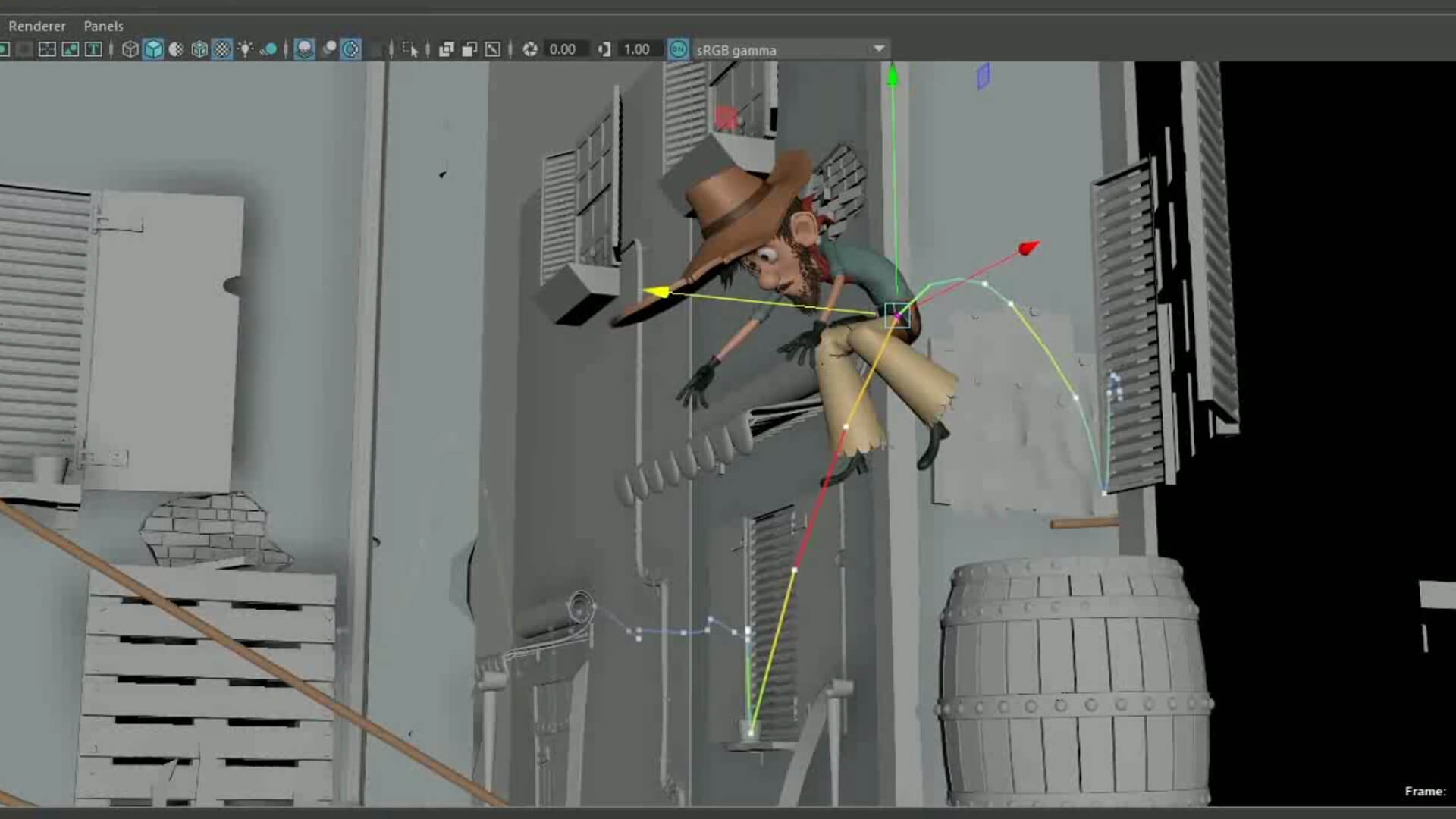
- Facial expressions: joy, anger, sadness, surprise, fear
- Lip-sync basics: matching mouth shapes to dialogue
- Eye direction & blinks: the window to your character's soul
- Gesture & posture : communicating without words
- Emotional beats — creating moments that resonate
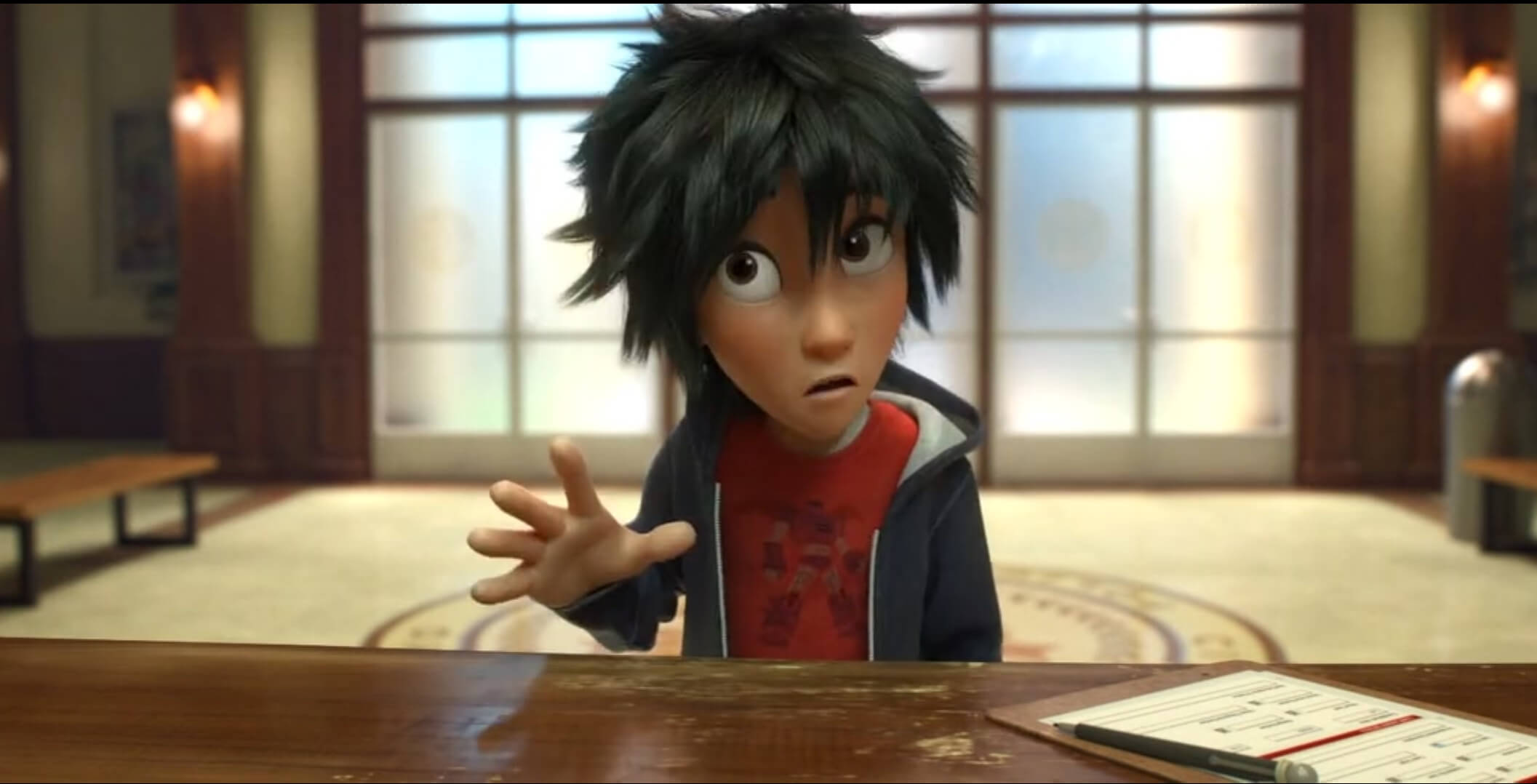
- Emotional storytelling : making audiences FEEL
- Dialogue acting : multi-line performance scenes
- Subtle character performance :micro-expressions
- Internal emotion :thinking, deciding, processing
- Complex scene staging : camera & character interplay
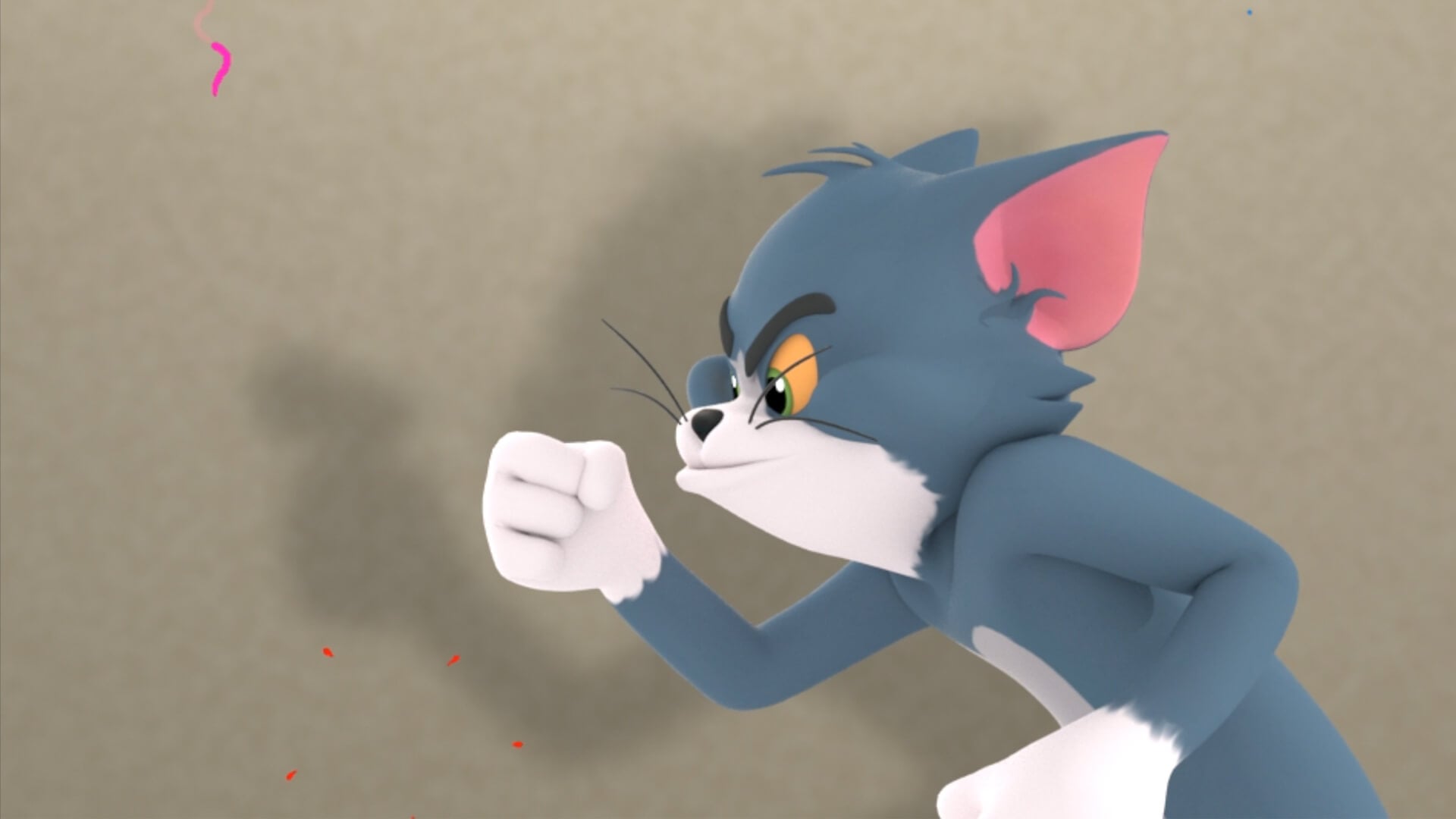
- Refining animation : the 20% that makes 80% difference
- Production-level shots : meeting studio quality standards
- Showreel creation : curating your best work strategically
- Render & presentation : making your reel look cinematic
- Portfolio strategy : what studios actually want to see
Your Complete Learning Path
6 carefully sequenced modules with 60+ lessons, hands-on assignments, and mentor reviews at every stage.
- Understanding the animation pipeline in Blender
- The 12 Principles of Animation deep dive with practical exercises
- Timing & spacing the heartbeat of all animation
- Squash & stretch giving objects weight and flexibility
- Anticipation, follow through, and overlapping action
- Bouncing ball exercise (with personality!)
- Pendulum and chain dynamics
- Basic character poses and silhouettes
- Understanding human anatomy for animators
- Center of gravity and weight distribution
- Walk cycle breakdown contact, passing, down, up positions
- Adding personality to walks confident, tired, sneaky, happy
- Run cycles speed variation and character
- Jump mechanics takeoff, apex, landing, recovery
- Weight shifts, turns, and directional changes
- Reference video analysis techniques
- Force and momentum in character animation
- Lifting heavy objects showing strain and effort
- Pushing and pulling mechanics
- Fight choreography and combat animation
- Athletic movements parkour, climbing, acrobatics
- Multi-character interaction and physical contact
- Environmental interaction doors, ladders, vehicles
- Creating action shots for your showreel
- Acting theory for animators Stanislavski method basics
- Facial expression fundamentals the 7 universal emotions
- Eye direction, blinks, and eye darts
- Lip-sync basics phoneme shapes and timing
- Gesture and body language what the body says
- Pose-to-pose acting creating clear emotional beats
- Pantomime exercises telling stories without dialogue
- Reference acting filming yourself for better animation
- Emotional storytelling through animation
- Dialogue acting multi line performance scenes
- Subtle performance micro expressions and nuance
- Internal emotion thinking, deciding, remembering
- Complex scene staging and camera work
- Comedy timing and physical humor
- Dramatic moments sadness, anger, fear, love
- Building emotional arcs within a single shot
- Showreel strategy what studios want to see (and in what order)
- Shot selection choosing your strongest work
- Polish pass taking good animation to great
- Lighting and rendering for demo reels
- Editing and pacing your reel for maximum impact
- Music and sound design considerations
- Platform optimization Vimeo, YouTube, portfolio sites
- Career strategy session where and how to apply
How It Works
A simple, proven process that has helped 850+ students transform from beginners to working professionals.
Imagine Your Life 6 Months From Now
Before vs. After This Course
- ✗ Stiff, robotic character movements
- ✗ No understanding of weight and physics
- ✗ Can't create believable walk cycles
- ✗ Zero facial animation skills
- ✗ No showreel or portfolio
- ✗ Confused about career direction
- ✗ Dependent on tutorials for every task
- ✗ No industry connections
- ✓ Fluid, natural character performances
- ✓ Deep understanding of body mechanics
- ✓ Personality driven locomotion
- ✓ Emotional facial animation & lip sync
- ✓ Professional, studio ready showreel
- ✓ Clear career path with job opportunities
- ✓ Independent problem solving ability
- ✓ 850+ member community & network
Who This Course Is For (And Who It's Not)
- ✓ You have basic 3D knowledge (Blender, Maya, or similar) and want to specialize in character animation
- ✓ You're a student (16-30) exploring animation as a serious career path
- ✓ You're an artist or illustrator who wants to bring your characters to life in 3D
- ✓ You're a career switcher who's passionate about animation and creative storytelling
- ✓ You're a Blender user who wants deep specialization in character animation
- ✓ You want structured, mentor guided learning instead of scattered YouTube tutorials
- ✓ You're willing to put in consistent practice (8-10 hours/week) to build real skills
- ✗ You have zero 3D experience start with our free masterclass first to build fundamentals
- ✗ You're looking for a "get rich quick" scheme animation requires dedication and practice
- ✗ You want to learn 3D modeling or VFX this course is specifically about CHARACTER ANIMATION
- ✗ You're not willing to invest time in practice talent alone doesn't create great animators
- ✗ You just want a certificate without doing the work we focus on real skills, not paper credentials
Learn From Someone Who's Done It
But what truly sets them apart isn't just their production credits, it's their ability to TEACH. They've mentored over 850 students, many of whom now work at top studios across India and internationally. Their teaching philosophy is simple: "Animation isn't about software buttons, it's about understanding movement, emotion, and story. Once you understand WHY characters move the way they do, you can animate anything."
Every lesson is designed from real production experience, not textbook theory. You'll learn the exact techniques and workflows used in professional studios, adapted for Blender.
Why UniqubeAnimation Exists
UniqubeAnimation was born from frustration. Our founder spent years watching talented young artists in India struggle not because they lacked creativity or passion, but because they lacked ACCESS. Access to structured training. Access to industry mentors. Access to the kind of education that actually leads to careers.
The expensive institutes charged ₹3-5 lakhs for outdated curricula taught by instructors who hadn't touched a production pipeline in years. YouTube had infinite tutorials but zero structure. And the gap between "I know how to use Blender" and "I can animate professional quality characters" remained impossibly wide for most aspiring animators.
That's how this Character Animation Course was born designed from the ground up based on real studio workflows, real production requirements, and real career outcomes. Every module, every assignment, every feedback session is engineered to bridge the gap between "aspiring animator" and "working professional."
Today, Many students are working across the industry, we've proven that when you give talented people the right training, the right structure, and the right mentorship extraordinary things happen.
About UniqubeAnimation
At UniqubeAnimation, we’re passionate about bringing ideas to life through the art of animation and VFX. Our platform was built for creators who dream of turning their imagination into stunning visuals, whether it’s through animation, product advertising, or motion design. With expert-led courses and a hands-on approach, we guide students through the entire creative journey, helping them build skills that matter in the real world.
Our mission is simple: make world-class animation education accessible to every talented individual in India and beyond. We believe that talent shouldn't be limited by geography, financial barriers, or lack of access to mentors.
Our alumni work at leading animation studios, game companies, VFX houses, and as successful freelancers serving international clients.
See What's Inside the Learning Platform
Get a glimpse of the professional learning experience that awaits you. HD video lessons, structured assignments, and mentor review all in one platform.
Choose Your Learning Path
Whether you want the complete transformation or want to start with a single module we've got you covered.
- ✓ All 6 Modules (60+ comprehensive lessons)
- ✓ Advanced Body Mechanics & Combat Animation
- ✓ Acting & Emotional Performance Training
- ✓ Professional Showreel Creation with Mentor Guidance
- ✓ Personal Mentor Feedback on Every Assignment
- ✓ Pre Rigged Characters & Assets Library
- ✓ Lifetime Community Access & Job Referrals
- ✓ Career Coaching & Portfolio Review Session
- ✓ Lifetime Access to All Course Materials
- ✓ Certificate of Completion
Enroll Today & Get These Free Bonuses
Available only for full program enrollments during this enrollment period. These bonuses won't last forever.
Our 7-Day "Try It" Guarantee
You either become a better animator or you get your money back. Either way, you win.
We can offer this guarantee because we know what happens when students experience our structured curriculum and mentor feedback they don't want to leave. Our refund rate is less than 1 %.
Why Enrolling Today Matters
This isn't manufactured urgency. Here are real reasons why waiting costs you more than acting.
Frequently Asked Questions
We've answered every question our students have asked over the years. If yours isn't here, reach out we're happy to help.
Start Your Journey as a Character Animator
Many students have already transformed their careers through this program. The animation industry is growing faster than ever. Your dream of bringing characters to life and making audiences laugh, cry, and gasp is closer than you think. The only question is: will you take the first step today?
So let me be direct with you: every week you wait is a week you could have been building the skills that studios pay ₹4-15 LPA for. The course material isn't going to learn itself. The showreel isn't going to build itself. And the opportunities in India's booming animation industry won't wait forever.
You have two paths right now. Path one: close this page, go back to YouTube tutorials, and hope that somehow, eventually, things click. Path two: enroll today, get structured training with mentor feedback, and start building the career you've been dreaming about.
If you're ready for path two, click here to enroll now. If you need a gentler start, join our free masterclass no commitment, no pressure, just clarity on your next steps.
Either way don't let another month pass without taking action. Your future self will thank you.
See you inside. 🎬
The UniqubeAnimation Team